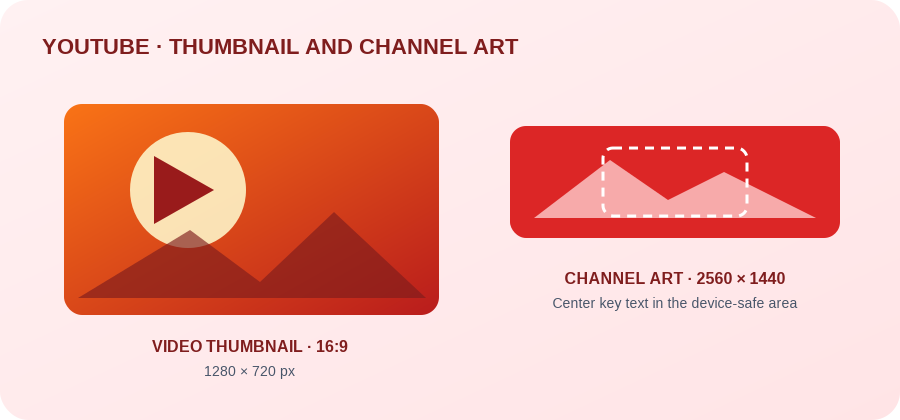
Use the platform and placement—feed, story, profile, or banner—to choose an image size. These dimensions are practical starting points; apps may crop or recompress uploads, so check the final preview before publishing.
Quick social media image sizes
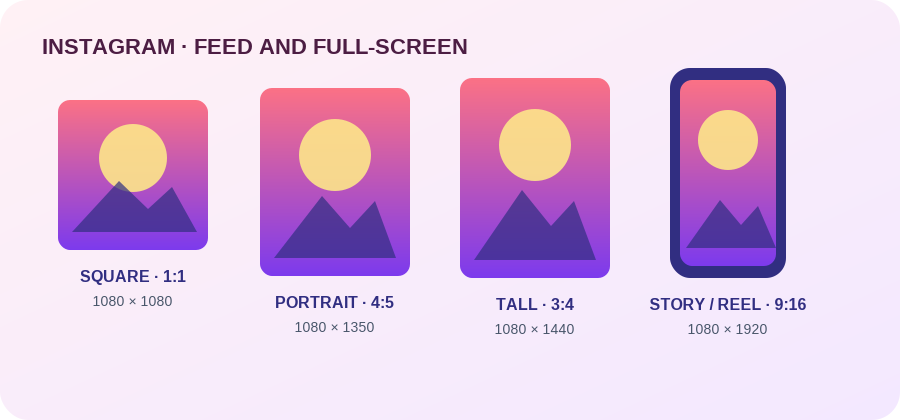
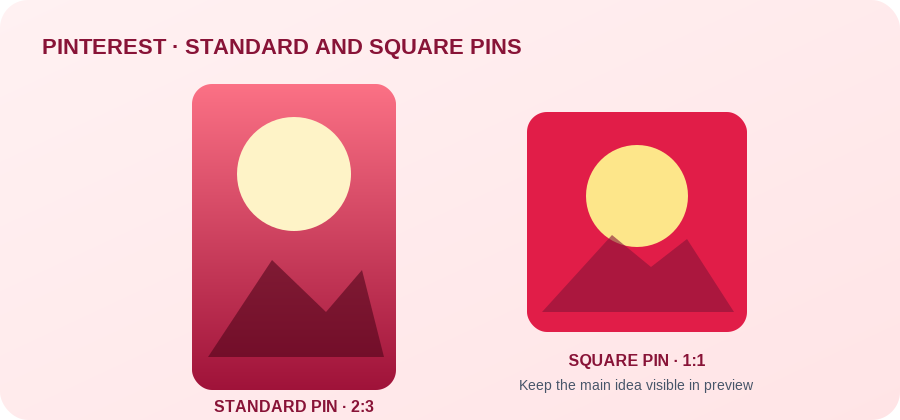
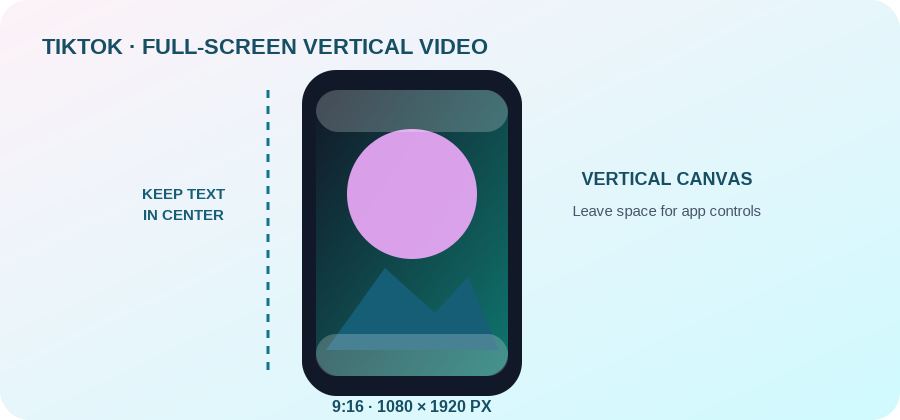
These common exports cover many feed and full-screen placements. Match the specific platform and placement in the tables below: 1080 × 1080 pixels (1:1) for square feed posts; 1080 × 1350 pixels (4:5) for portrait feeds; 1080 × 1920 pixels (9:16) for Stories and short vertical video; and 1000 × 1500 pixels (2:3) for a standard Pinterest Pin.
Why image dimensions matter
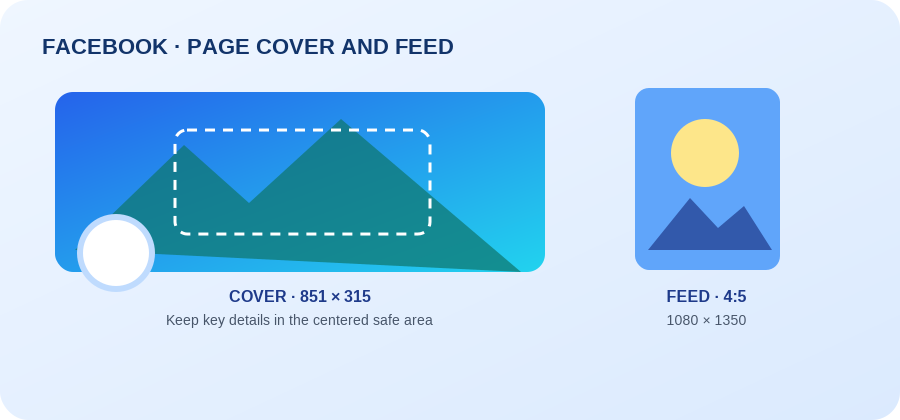
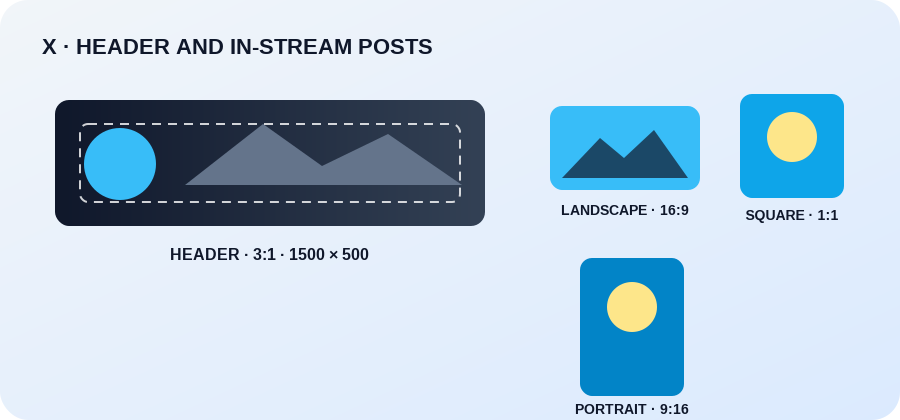
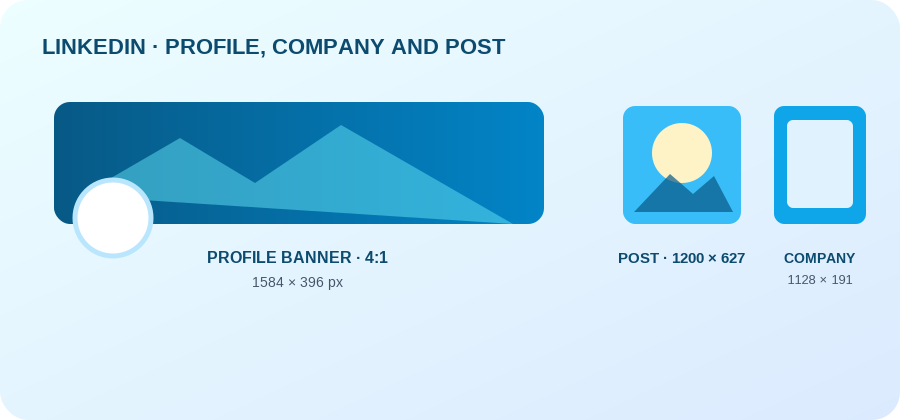
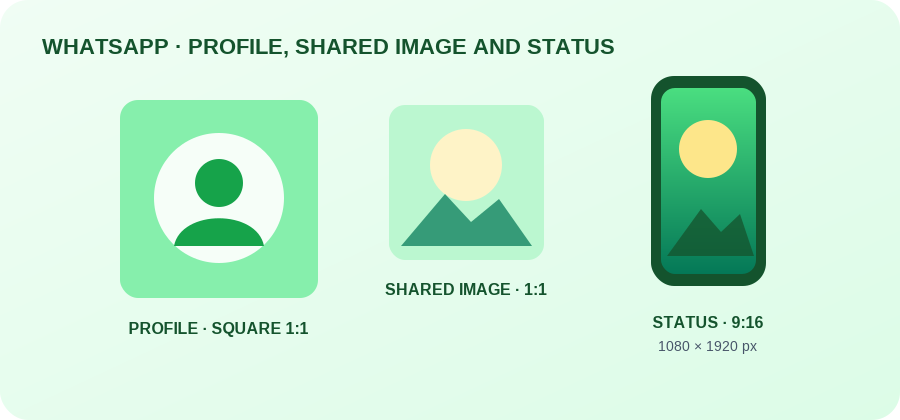
A mismatched aspect ratio can crop faces, logos, or text. Starting with enough pixels helps avoid a soft-looking image, and keeping key details away from edges helps protect them from interface overlays and circular profile crops. Always check the platform preview.
Image size diagrams by platform
How to choose the right social media image size
Match both pixel dimensions and aspect ratio to the placement. A 1080 × 1350 image is portrait 4:5, while 1080 × 1920 is vertical 9:16. Using the expected ratio helps prevent important parts of a photo, logo, or text from being cut off.
Instagram photo sizes at a glance
Instagram’s Help Center says shared photos can be between 320 and 1080 pixels wide, with supported aspect ratios from 1.91:1 landscape to 3:4 portrait. At 1080 pixels wide, that corresponds to heights from 566 to 1440 pixels. Common feed exports include 1080 × 1080 (1:1), 1080 × 1350 (4:5), and 1080 × 1440 (3:4). Stories and Reels use a vertical 9:16 canvas; 1080 × 1920 is a common export size. Photos outside Instagram’s supported range may be cropped.
For banners and profile images, keep important text and logos away from the edges because each app can crop images differently across screens. Use JPG for most photographs and PNG for sharp-edged graphics or transparent logos. Social platforms may recompress either format after upload.
Resize an image for a platform
- Find the placement in the table, such as an Instagram feed post or YouTube thumbnail.
- Copy its dimensions and match the aspect ratio before exporting.
- Use the image resizer to set exact pixel dimensions, or the image cropper to adjust framing.
- Review the exported image in the platform preview and move important content away from cropped edges.
Instagram’s current photo resolution guidance: Instagram Help Center.